1
Abstimmung erstellen
Add a question and options, choose anonymous or named voting, public or access-code eligibility, winner count, votes per person, and voting time.
Erstelle eine kostenlose Abstimmung, teile den QR-Code und entscheide, ob anonym, mit Namen oder per wiederverwendbarem Zugangscode abgestimmt wird. Teilnehmende brauchen weder App noch Konto.
YOKKIT Vote is a free online poll maker for live events and more formal voting. Choose anonymous or named voting, optionally require reusable Voting Credential Groups, and use text, images, photos, or YouTube videos as options. Voters join from a phone browser—no app or account needed.
Customize the question and options, choose anonymous or named voting, collect a name, email, or both when needed, and optionally create a Voting Credential Group that can be reused across multiple polls. The organizer view shows results, named-voter records when enabled, and per-poll credential usage, with export tools for follow-up.
No app and no voter account setup. Use public voting for the fastest flow, or turn on Voting Access Codes when you need tighter eligibility control.
Add a question and options, choose anonymous or named voting, public or access-code eligibility, winner count, votes per person, and voting time.
Put the QR code on the big screen or share the link. People scan it with their phones and vote right away.
Track votes and participation live, review named-voter records when enabled, and manage Voting Access Code usage from the organizer view.
Poll options can be more than text. Add images or YouTube videos for photo contests, design reviews, product comparisons, video competitions, and other visual voting. Voters can open images in a larger preview, and YouTube players load only when someone chooses to watch.
Professional OBS / vMix overlays with the same glass effects, animated rankings and winner reveal as YOKKIT Vote.
Abstimmung erstellen und loslegen →Diese Vorschau verwendet Beispieldaten; es ist keine echte Abstimmung verbunden.
YOKKIT Vote includes a large-screen mode built for projectors and venue displays. Show the QR code, live results, rankings, and final winners so everyone in the room can follow along.
Large-screen mode is designed for stages, classrooms, meetings, and live events—not just enlarged vote counts. Use it before voting starts, while votes are coming in, and when it is time to reveal the rankings or winners.
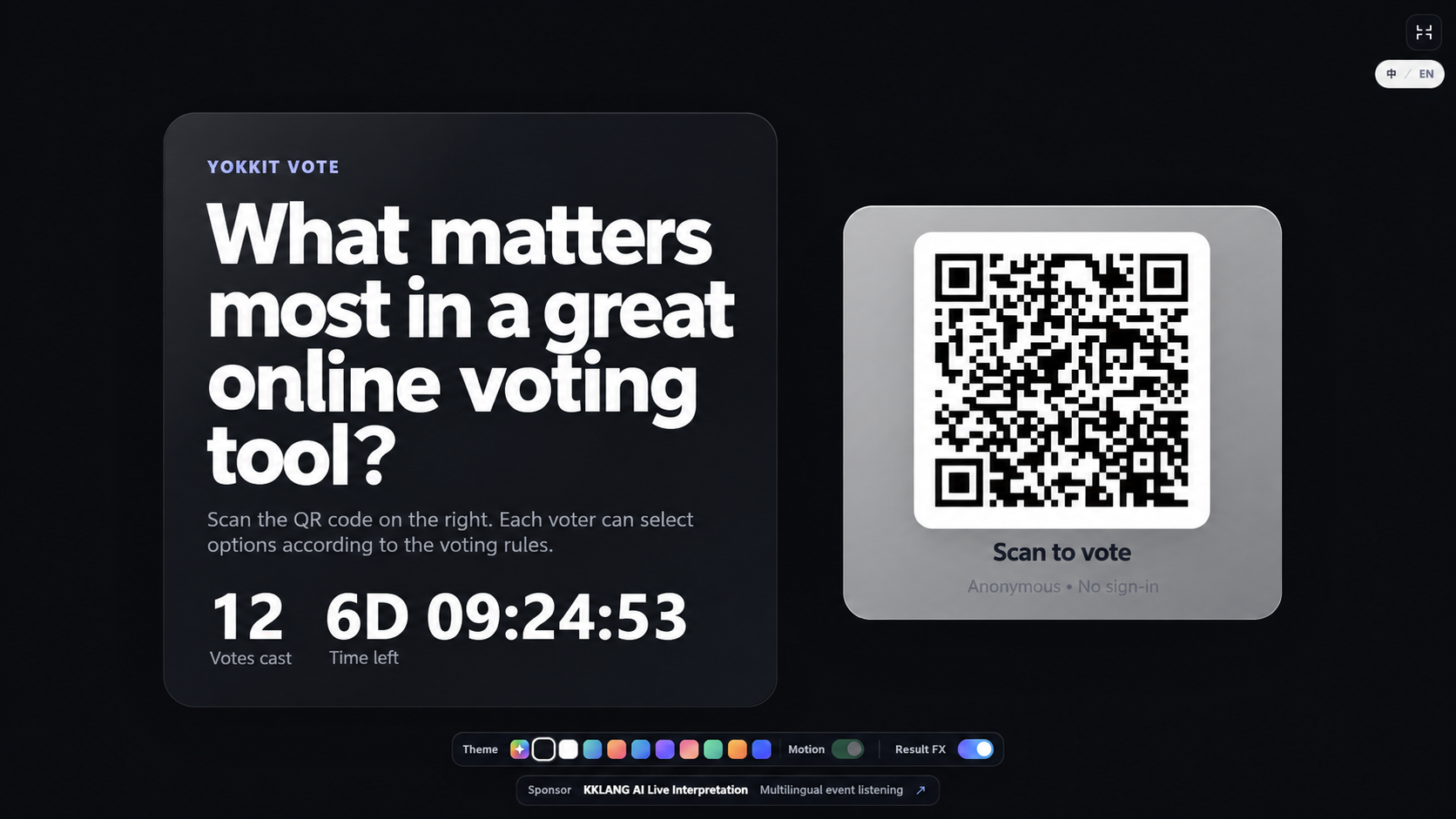
These are not static screenshots. They use the same visual logic as the large-screen Display mode, with vote totals reflected in height, scale, particles, and energy. Use them live during voting or for the final reveal.
Poll anything: people, ideas, designs, proposals, videos, menu choices, or whatever fits your event.
Run audience choice awards, meeting votes, classroom polls, workshop activities, judging rounds, and team decisions with the same simple setup.
Answers to common questions about QR code voting, anonymous and named polls, Voting Access Codes, live results, image and video polls, exports, and data retention.
PK Battle ist eine Abstimmung mit genau zwei Optionen. Teilnehmende wählen eine Seite – ideal für Duelle, Wettbewerbe und Live-Veranstaltungen.
Ja. Beide Optionen können Text, Bilder oder YouTube-Videos enthalten. Die Medien lassen sich vor der Stimmabgabe ansehen.
Der Veranstalter entscheidet, wann Ergebnisse sichtbar sind: live, nach der Stimmabgabe oder nach dem Ende. Dann erscheinen Stimmen, Prozentwerte und ein animierter Duellbalken.
Normale Abstimmungen unterstützen bis zu 100 Optionen. Die Anzahl der Gewinner ist zwischen 1 und der Anzahl der Optionen einstellbar. PK Battle hat genau zwei Optionen und einen Gewinner.
Der Veranstalter legt die Zahl der wählbaren Optionen fest, höchstens 100. Bei PK Battle darf jede Person genau eine Option wählen.
Ja. Erstelle kostenlos eine Abstimmung und teile den Link oder QR-Code. Teilnehmende benötigen weder eine App noch ein Benutzerkonto.
Erstelle eine Abstimmung und zeige den QR-Code an oder teile ihn. Teilnehmende öffnen den Link am Smartphone und stimmen im Browser ab. Die Ergebnisse lassen sich auf einer großen Leinwand anzeigen.
Nein. Im anonymen Modus werden weder Name noch E-Mail-Adresse abgefragt. Im namentlichen Modus kannst du Name, E-Mail-Adresse oder beides verlangen.
Zugangscodes werden vom Veranstalter ausgegeben und können über mehrere Abstimmungen hinweg wiederverwendet werden. Pro Abstimmung kann jeder Code nur einmal eingesetzt werden – auch beim Wechsel von Browser oder Gerät.
Nein. Der Veranstalter erstellt und verwaltet die Codes und kann eine Liste herunterladen. Zur Stimmabgabe reicht ein gültiger Code.
Ja. Du kannst die Teilnahme per Code prüfen und trotzdem anonym abstimmen lassen oder zusätzlich Name bzw. E-Mail-Adresse erfassen.
Ja. In der Verwaltung sind die Anzahl der Teilnehmenden und die Stimmen je Option sichtbar. Nach dem Ende lassen sich die endgültigen Ergebnisse veröffentlichen.
Ja. Jede Option kann ein Bild enthalten. Teilnehmende können das Bild vor der Auswahl vergrößern.
Ja. Füge einer Option einen YouTube-Link hinzu. Das Video wird erst geladen, wenn jemand es ansehen möchte.
Ja. Du kannst die Ergebnisse als CSV exportieren. Bei namentlicher Abstimmung können auch die für Veranstalter verfügbaren Wählerdaten enthalten sein.
Ja. Zeige bei Vorträgen, Konferenzen, Workshops oder im Unterricht einen QR-Code, sammle Stimmen per Smartphone und präsentiere die Ergebnisse auf dem großen Bildschirm.
Ja. Im anonymen Modus sind weder Konto noch Name oder E-Mail-Adresse erforderlich. Die Teilnahme erfolgt über den Link oder QR-Code im Browser.
Kostenlose Abstimmungsdaten werden 24 Stunden nach Ende der Abstimmung automatisch gelöscht – nicht 24 Stunden nach ihrer Erstellung.
Create a poll, put the QR code on screen, and let people vote from their phones without slowing down the session.
Enjoy using YOKKIT Vote? Help us keep this free tool growing. Any amount is welcome.