1
Create poll
Add a question and options, choose how many winners there will be, set how many votes each person gets, and decide how long voting stays open.
Create a free poll for an event, presentation, class, meeting, or group decision. Share a QR code, let people vote anonymously from their phones, and put live results on the big screen.
YOKKIT Vote is a free online poll maker built for live audience participation. Create QR code polls with text, images, photos, or YouTube videos, then share a link or put the QR code on screen. Voters join from their phone browser—no app or account needed.
Customize the question and options, add images or YouTube videos, choose how many votes each person gets, set the number of winners, and decide how long voting stays open. The organizer view shows participation and vote counts in real time, and lets you confirm or publish final results and export a CSV. Free poll data is automatically deleted 24 hours after creation.
No app, no account setup, and no complicated configuration. You can have a poll ready in minutes.
Add a question and options, choose how many winners there will be, set how many votes each person gets, and decide how long voting stays open.
Put the QR code on the big screen or share the link. People scan it with their phones and vote right away.
The organizer view shows results as they come in and how many people have voted. When voting ends, confirm the final results and export a CSV.
Poll options can be more than text. Add images or YouTube videos for photo contests, design reviews, product comparisons, video competitions, and other visual voting. Voters can open images in a larger preview, and YouTube players load only when someone chooses to watch.
YOKKIT Vote includes a large-screen mode built for projectors and venue displays. Show the QR code, live results, rankings, and final winners so everyone in the room can follow along.
Large-screen mode is designed for stages, classrooms, meetings, and live events—not just enlarged vote counts. Use it before voting starts, while votes are coming in, and when it is time to reveal the rankings or winners.
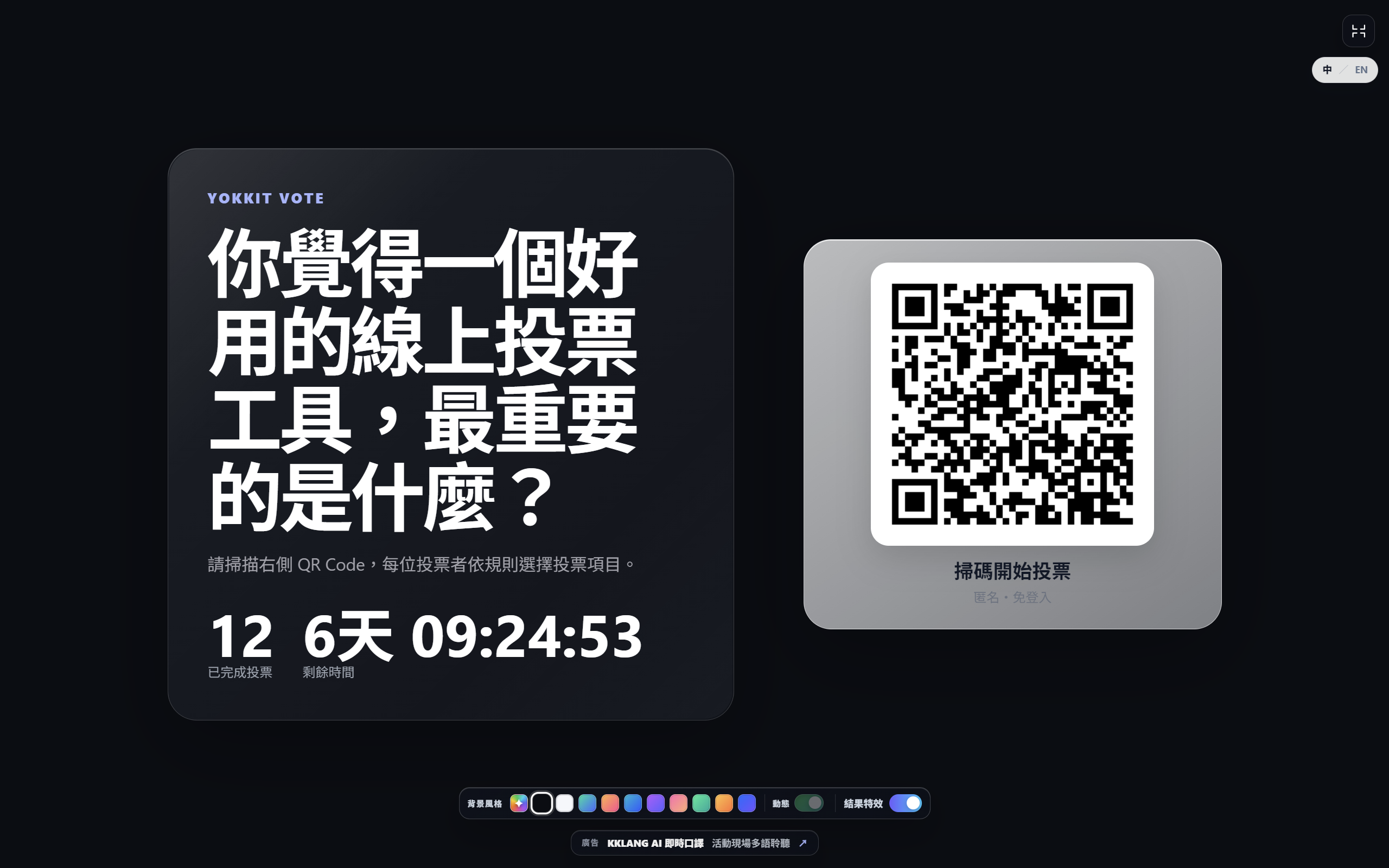
Poll anything: people, ideas, designs, proposals, videos, menu choices, or whatever fits your event.
Run audience choice awards, meeting votes, classroom polls, workshop activities, judging rounds, and team decisions with the same simple setup.
Answers to common questions about free online polls, QR code voting, anonymous voting, live audience polling, image and video polls, results, and data retention.
Yes. YOKKIT Vote is a free online poll maker. Create a poll in your browser, share the generated link or QR code, and let participants vote without downloading an app or creating an account.
Create a poll, then put the QR code on screen or share it directly. People scan it with their phone camera, open the poll in a browser, and vote. You can watch participation in real time and use the big-screen view for live results and winner reveals.
No. Anonymous voting does not require a name, email address, or account, so people can join quickly.
Yes. The organizer view shows how many people have voted and the current vote count for each option. After voting ends, you can confirm and publish the final results.
Yes. Each option can include an uploaded image, which works well for photography, design, product comparisons, creative contests, and other visual voting. Voters can open a larger preview before choosing.
Yes. Add a YouTube URL to an option. The voting page shows a thumbnail first and loads the player only when a participant chooses to watch, helping the page stay fast even with several video options.
Yes. You can export poll results as a CSV for record keeping, reporting, or further analysis.
Yes. It works well for live audience polls during presentations, conferences, workshops, classes, and meetings. Put the QR code on screen, collect votes from phones, and show results in the big-screen view.
Yes. In anonymous mode, voters do not need an account and do not have to provide a name or email address. They can open the poll from a QR code or link and vote in their browser.
Free poll data is automatically deleted 24 hours after creation to minimize unnecessary retention.
Create a poll, put the QR code on screen, and let people vote from their phones without slowing down the session.